PE Tools Store
English
Available

Smart Draw

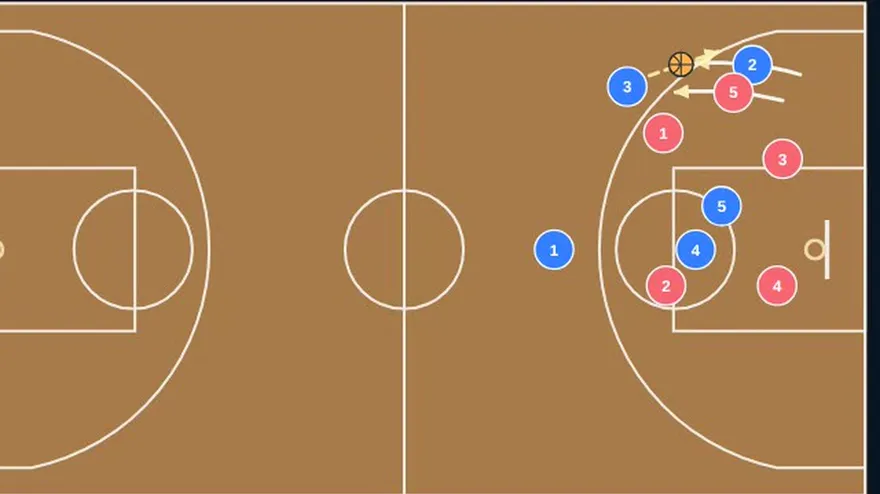
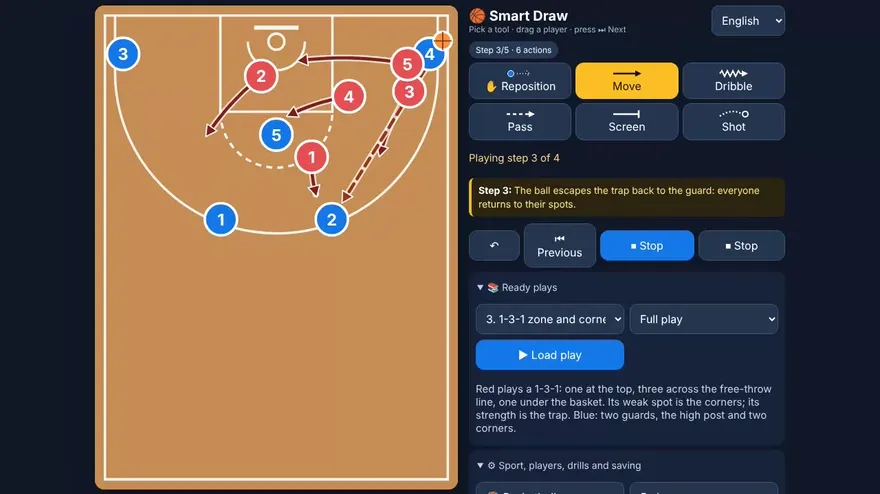
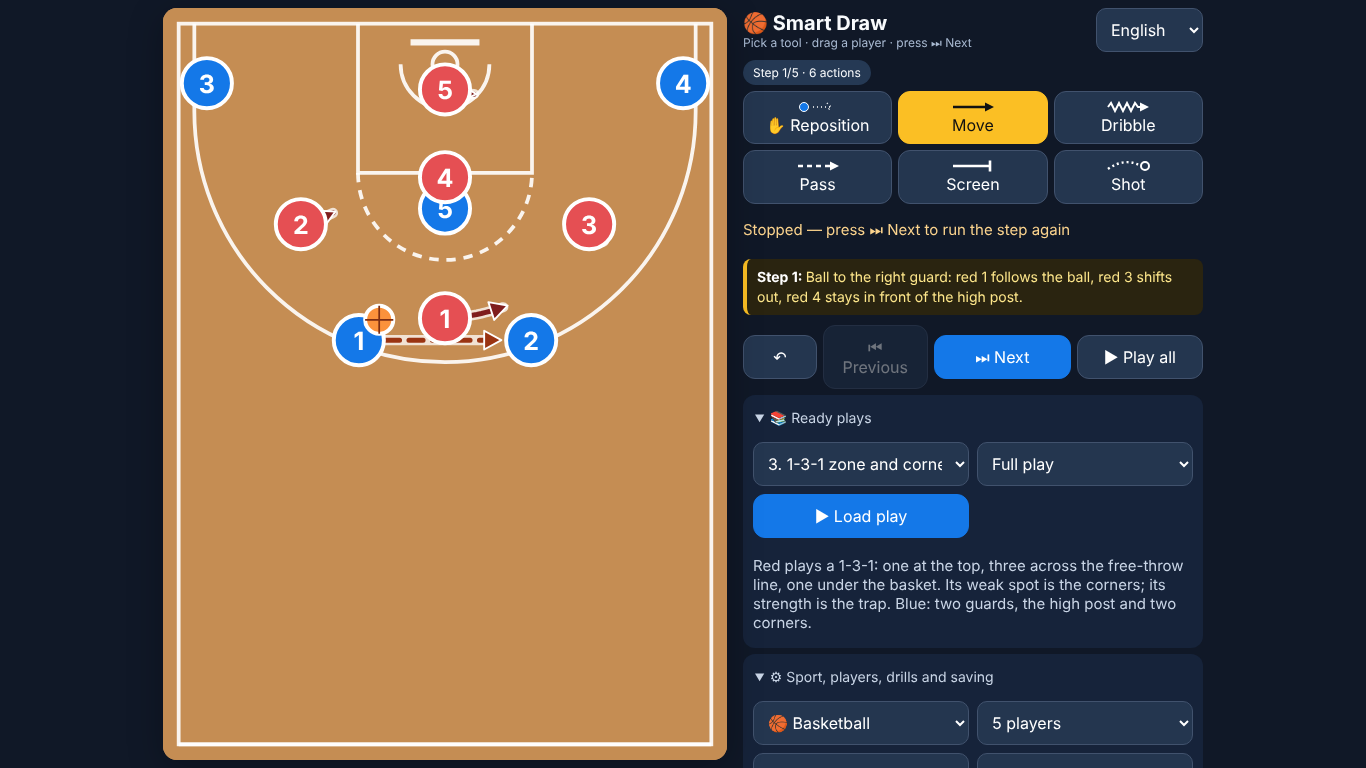
Draw a play step by step — who moves, who passes, who screens — and play it back one step at a time so the class sees the order of the actions.

  • Works offline
  • Pay once, yours for life
  • No account
  • 5 languages
Smart Draw — preview

See it work

A real screen recording of the tool, with no editing of what it does. The narration and subtitles explain each step; the voice is AI-generated.

What is included

  • One HTML file (about 180 KB). Open it in a browser; no installation, no account.
  • Four sports: basketball, football, handball and volleyball, with several team sizes and starting formations, half or full court.
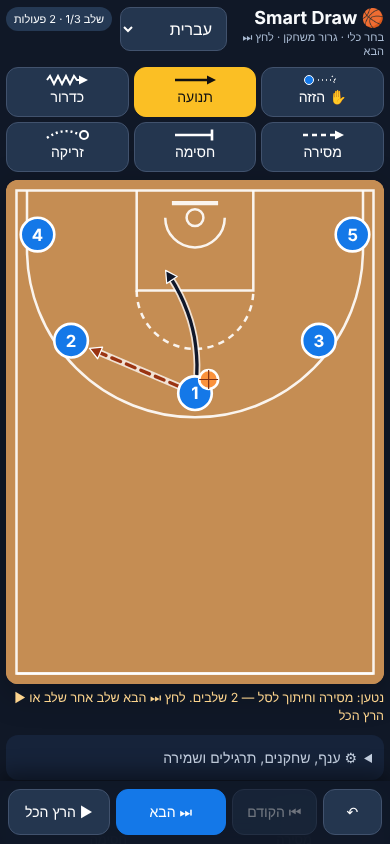
  • Six tools: reposition a player without a line, move (solid line), dribble (zigzag), pass (dashed), screen and shot or kick.
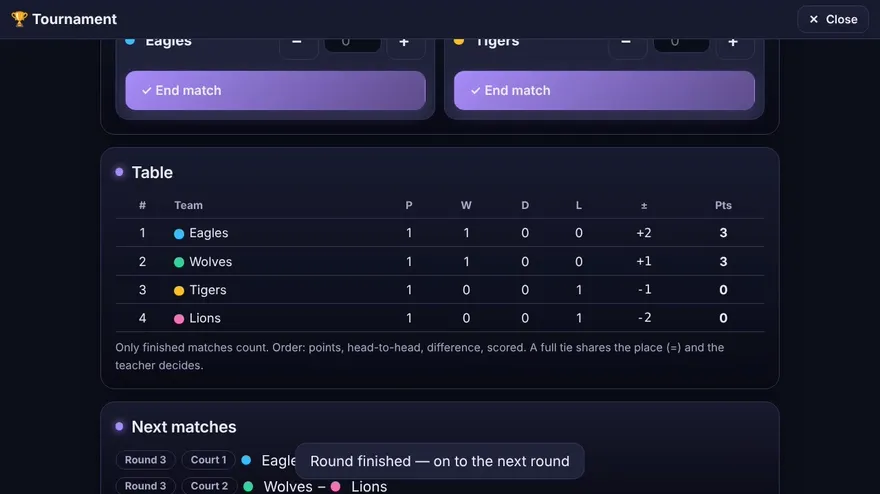
  • Step-based playback: ⏭ Next shows one step at a time, ▶ Play all runs the whole play; three speeds.
  • 17 ready plays, 4–5 per sport, that run step by step with a short explanation under the court at every step: zone defences in basketball (2-3, 3-2, 1-3-1), box-and-1 and diamond-and-1, football counter-attacks, zonal defending, build-up and wing play, handball 6-0 and 5-1 defence, fast break and crossing, and volleyball serve receive, defence, free ball and cover. Each play has the full drill plus options that branch off it ("the play can break here or here"), 54 versions in all.
  • Ready-made drills to load for each sport, and a defence you can add with one tap.
  • Save on the device, or save to a file and open it again on another device.

Who it is for: PE teachers who want to show a simple play or drill in clear steps, on a phone, a tablet or a projector.

Languages: Hebrew, English, Arabic, Russian, Spanish (right-to-left layout for Hebrew and Arabic), chosen in the menu at the top. The first time, it follows the browser language.

Format: a single self-contained HTML file. It runs offline once downloaded.

System requirements: a current web browser on a computer, tablet or phone (Chrome, Edge or Safari, current version). The court fills the screen, also on a tablet or phone held sideways.

Good to know: Smart Draw is the quick, step-by-step drawing tool; the Coach Board is the fuller board with editable teams, phases and demonstrations. Both are in the Tools Bundle. Court lines are schematic.
All content, drills, games, lesson plans and fitness tests are recommendations only. The teacher or user decides whether and how to use them and must adapt every activity — including fitness tests such as the 20 m shuttle run — to the pupils' age, health and ability and to the environment.

Translations were produced with AI. The professional content is accurate and was reviewed by several teachers and checked against Ministry of Education curricula from all angles; small proofreading, syntax or terminology errors are possible.

Licences

Single-Teacher licence. For one named teacher, with your own classes and pupils, on your own devices, wherever you teach. You may print it or show it on a screen for your pupils, and adapt it for your own lessons. The licence is personal: colleagues need their own licence (extra licences for colleagues are 30% off), and you may not resell the files or upload them to a public site or a shared drive. A substitute covering your classes may use the materials for those classes only. Updates and corrections to this version are free.

School licence. For one school at one campus. All PE staff employed at that campus, including substitutes, may use this product for the school's pupils and keep it on an internal drive that only they can access. Each further campus needs its own licence. It may not be shared with other schools, resold, or uploaded to a public site or a drive that people outside the school can open.

Full terms: Terms of Sale · Refund policy: Refund Policy · Safety: Safety · Contact: oshershvili15+pestore@gmail.com.