What is included
- One HTML file. Open it in a browser; no installation, no account.
- Choose the kind: a class tournament (teams within one class, in one lesson), a grade tournament (class against class over several days) or an open tournament with any names.
- A league, groups with crossover playoffs (first of group A against second of group B), or a knockout, for up to 32 teams.
- Football, basketball, handball, volleyball, catchball, table tennis, badminton, tug of war or dodgeball, each with its own rules: table points, draws, how a knockout draw is settled and the forfeit score follow FIFA, FIBA, IHF, FIVB and ITTF practice. Or add your own sport with its name, icon and scoring (goals and points, or sets).
- A draw ceremony for the projector: the teams are balls in a bowl; each one is drawn, opened, and drops into its group or first-round match. Seeding pots keep the strongest teams apart. Only the teams you entered take part.
- Any number of teams: with an odd number one team rests each round, and in a knockout an empty place sends a team straight through. Both are shown on screen and on paper.
- Game days, a first-match time, minutes per match and the number of fields: every match gets a date, a time and a field, and you can move any match by hand.
- A forfeit when a team does not turn up: the team that came wins by a score you set (3–0 by default). If neither comes, both lose.
- In a class tournament you can paste the class list and split the students into even teams at random.
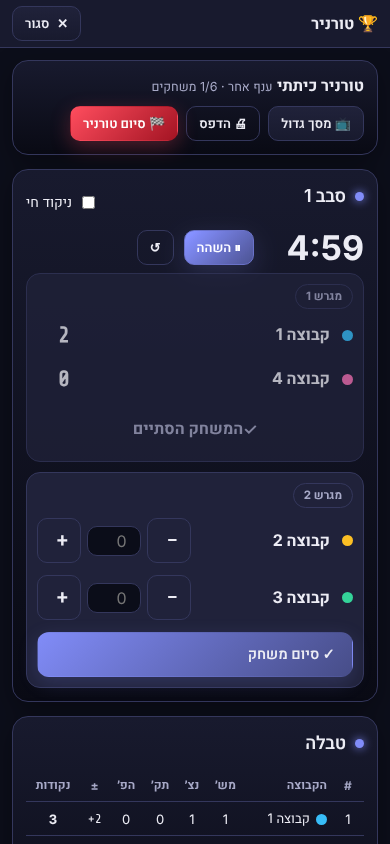
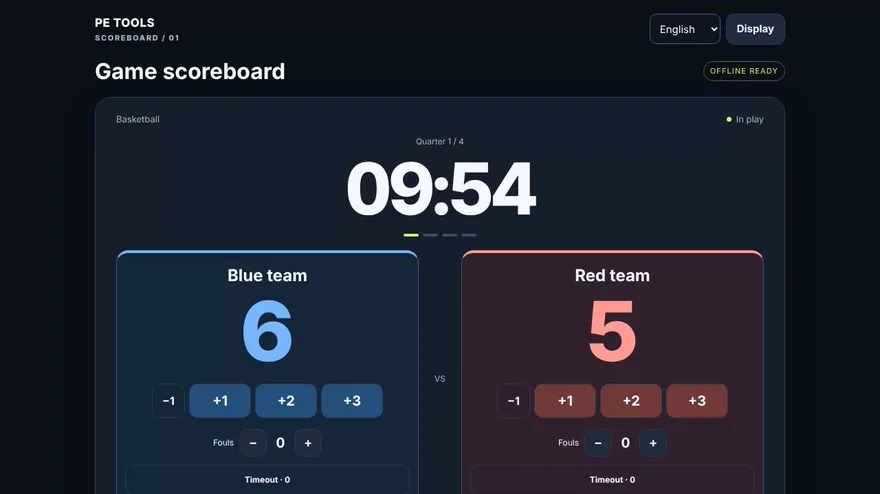
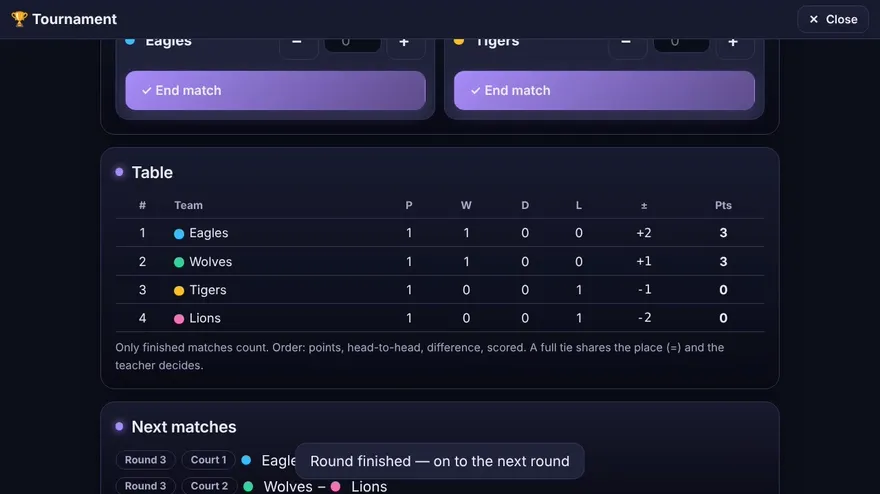
- A live scoreboard inside every match: a clock with halves, thirds or quarters, or sets to a score. The final score goes straight into the table; typing a result by hand stays possible.
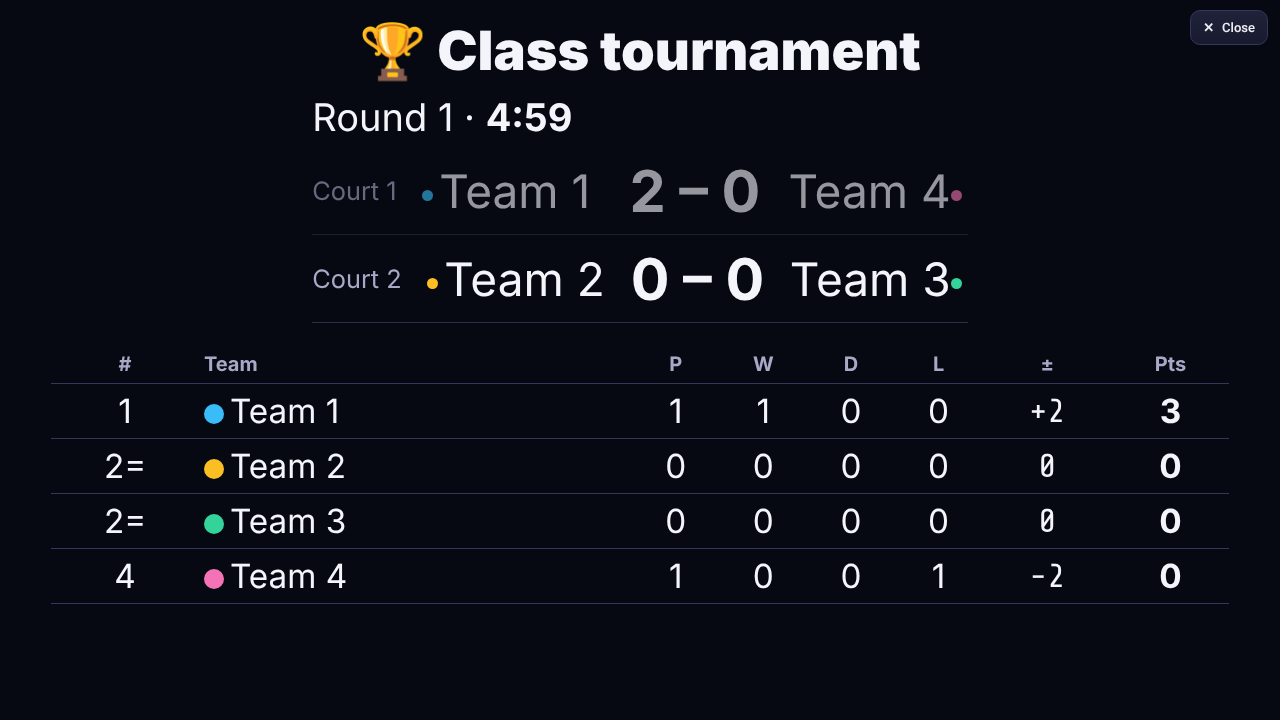
- The tables update after every result. Ties are separated by head-to-head, then difference, then scored, and the playoff matches fill in by themselves.
- Print or save as PDF: fixtures by date with results, group tables, the playoff bracket, a monthly calendar and a winner's certificate. A4 or A3, colour or black and white, with your school's name.
- A big-screen view, a top-scorers table, results as text for a message, and a backup file.
Who it is for: PE teachers and coaches who run class tournaments, sports days and small leagues.
Languages: English (default), Hebrew, Arabic, Russian, Spanish (right-to-left for Hebrew and Arabic).
Format: one self-contained HTML file. It runs offline once downloaded.
System requirements: a current web browser (Chrome, Edge or Safari, current version). A projector or large screen is optional.
Good to know: results are for the game, not grades. Tournaments, and players' names if you type them, are saved only in the browser you use.